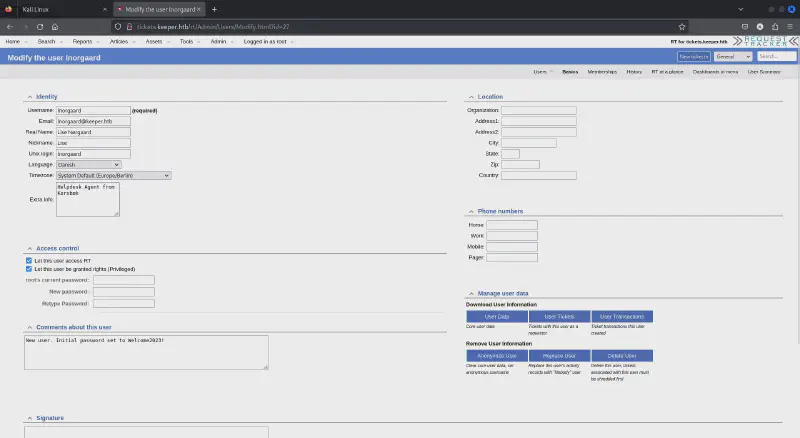
# Nmap 7.80 scan initiated Tue Jan 30 20:01:25 2024 as: nmap -sV -A -T5 -Pn -oA 10.129.27.235 10.129.27.235Nmap scan report for tickets.keeper.htb (10.129.27.235)Host is up (0.24s latency).
Not shown: 998 closed ports
PORT STATE SERVICE VERSION
22/tcp open ssh OpenSSH 8.9p1 Ubuntu 3ubuntu0.3 (Ubuntu Linux; protocol 2.0)80/tcp open http nginx 1.18.0 (Ubuntu)|_http-server-header: nginx/1.18.0 (Ubuntu)|_http-title: Login
|_http-trane-info: Problem with XML parsing of /evox/about
Aggressive OS guesses: Linux 2.6.32 (95%), Linux 3.1 (95%), Linux 3.2 (95%), AXIS 210A or 211 Network Camera (Linux 2.6.17)(94%), ASUS RT-N56U WAP (Linux 3.4)(93%), Linux 3.16 (93%), Adtran 424RG FTTH gateway (92%), Linux 2.6.39 - 3.2 (92%), Linux 3.1 - 3.2 (92%), Linux 3.2 - 4.9 (92%)No exact OS matches for host (test conditions non-ideal).
Network Distance: 2 hops
Service Info: OS: Linux; CPE: cpe:/o:linux:linux_kernel
TRACEROUTE (using port 1720/tcp)HOP RTT ADDRESS
1 237.57 ms 10.10.14.1
2 237.73 ms tickets.keeper.htb (10.129.27.235)OS and Service detection performed. Please report any incorrect results at https://nmap.org/submit/.
# Nmap done at Tue Jan 30 20:01:48 2024 -- 1 IP address (1 host up) scanned in 22.75 seconds
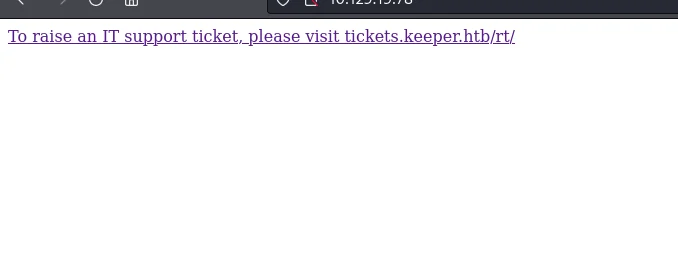
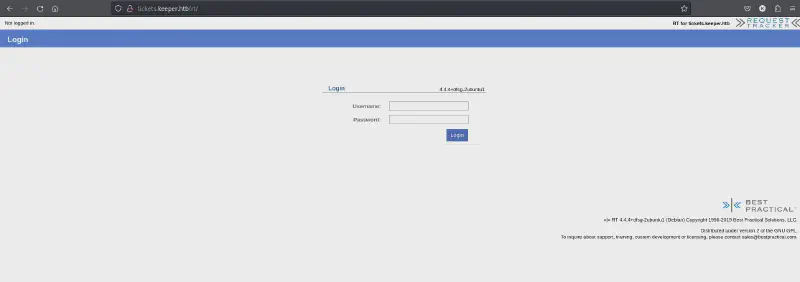
So, we have a SSH on default 22 and HTTP on port 80. I went ahead and browsed by pasting the IP address which gave out the host entry that I need to do to access the web application.
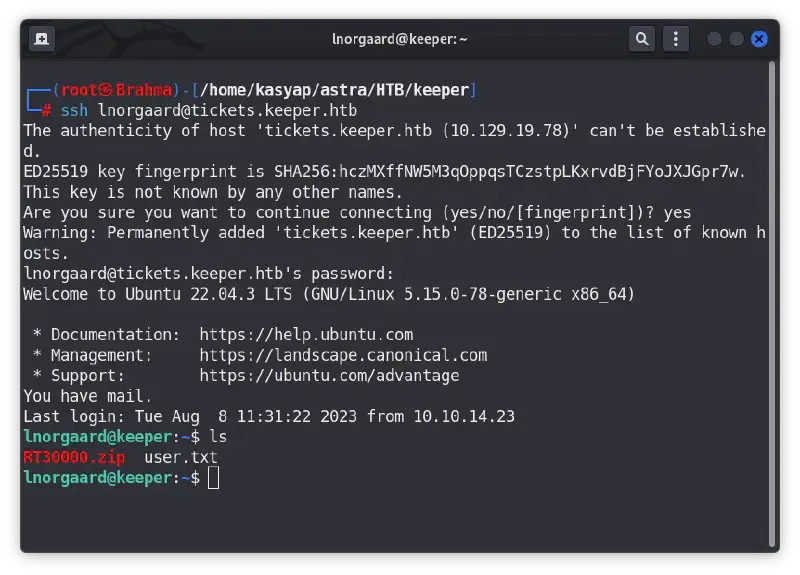
As we see in above screenshot, we do have a ZIP file placed under the user’s folder. I downloaded the file and extracted the contents.
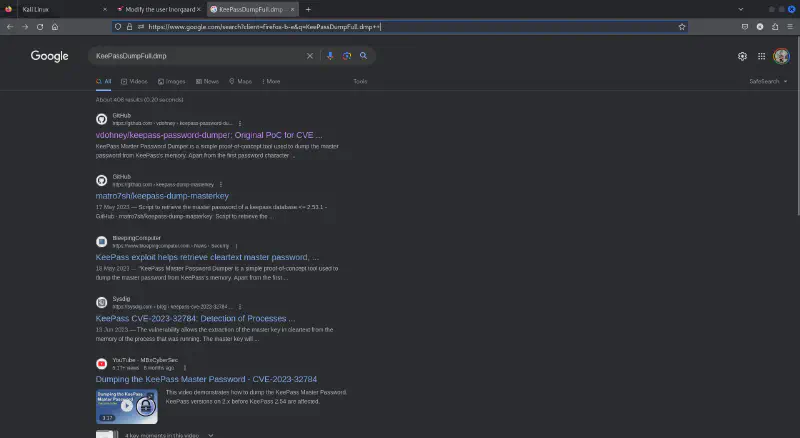
The ZIP file had passcodes.kdbx and KeePassDumpFull.dmp by searching the web I these file belong to KeepPass password manager found a relevant PoC to retrieve master password from crash dump files.
Google-Fu: KeePassDumpFull.dmp
Okay next step is to boot a windows machine to use the PoC as it requires dotnet to run the exploit (effortless way). However, I to a chance and explored Linux version of dotnet and installed dotnet SDK 7, the required version for this PoC to work.
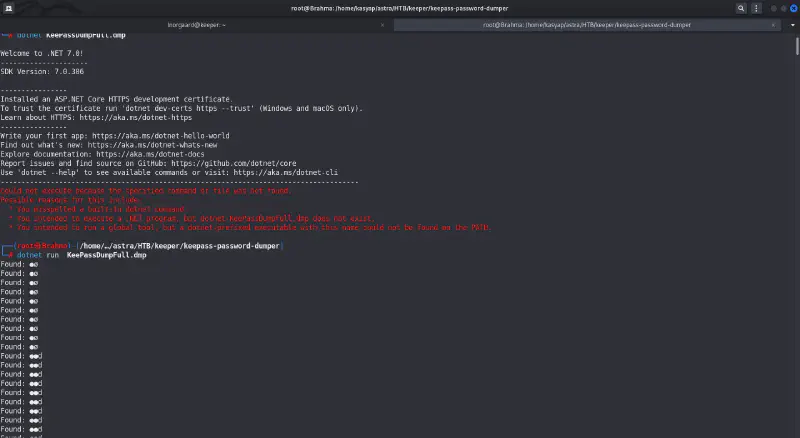
After setting up dotnet I went ahead and executed the exploit using the below.
dotnet run KeePassDumpFull.dmp
executing PoC
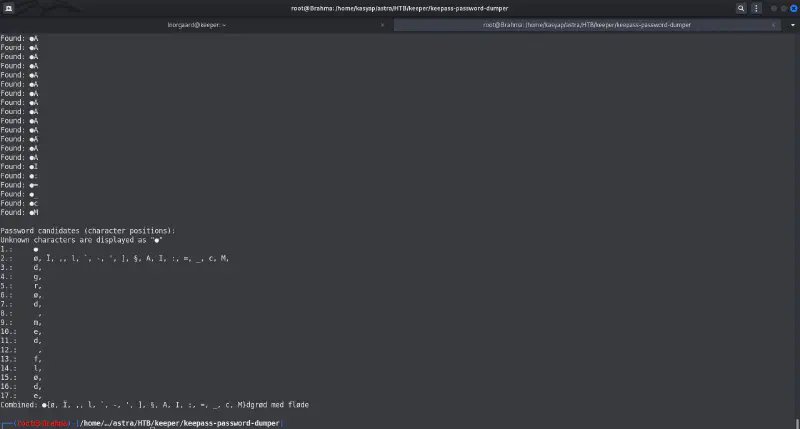
The exploit worked and gave out the below output to be “master password.”
Output from Exploit
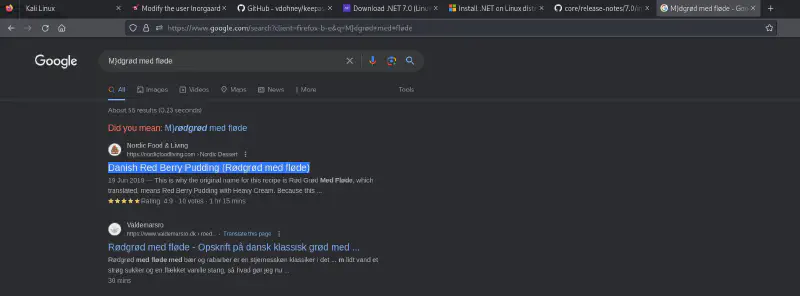
While it made me think for a while, I went ahead and googled and could get the below result.Google FU: Master Password
Which turns out to be rødgrød med fløde a Danish dessert and we do know Lnorgaard is from Denmark so, I tried it.
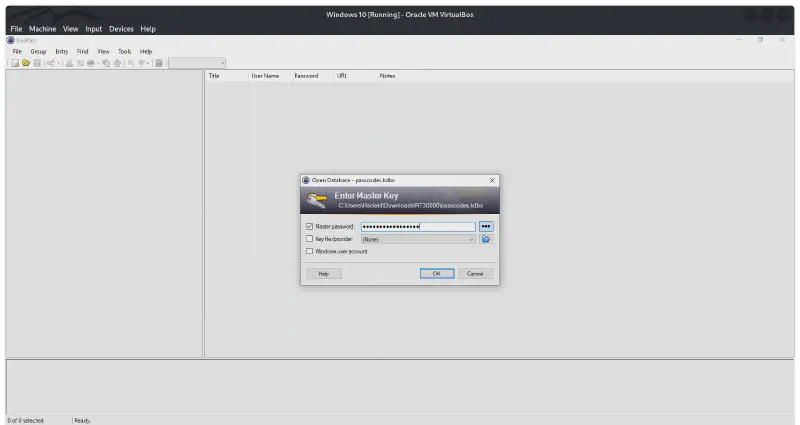
For which I had to download [KeePass2] (https://keepass.info/) and opened passcodes.kdbx file which we extracted from the ZIP file and it worked.
I initially tried wine but did not work for me so I used a Windows 10 VirtualBox machine for later steps. Also there is an alternative community based Linux version of keeppass2 avaliable.
{: .prompt-warning }KeePass: Master Password
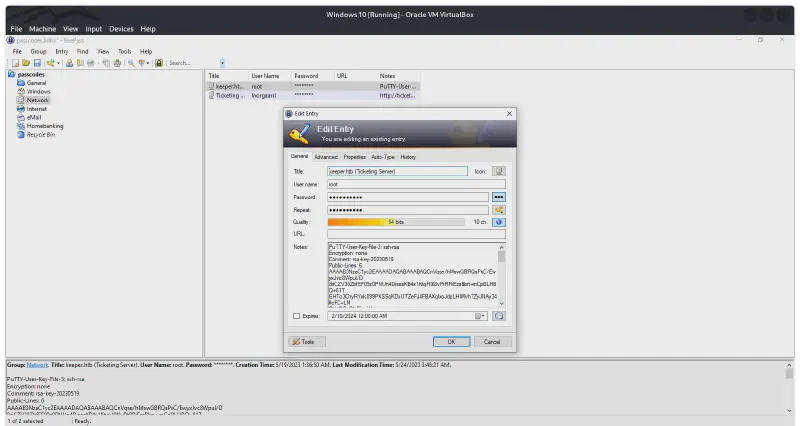
Once we enter the “master password,” we see that root user have stored its SSH public key in puttygen format.KeePass: Root PuttyGen
Puttygen is a key generator tool that comes as part of the PuTTY suite, a popular open-source program for secure remote connections. Primarily, it focuses on generating and managing SSH keys, which are cryptographic pairs used for secure authentication on remote servers.
{: .prompt-info }
Now, what we need to do is to have the puttygen key saved into a ppk file and convert it into a pem file which might grant us ability to SSH as root.
PPK: is puttygen file format Putty Private Key.
{: .prompt-info }
PEM: private key format defined in [RFC1422](https://www.rfc-editor.org/rfc/rfc1422) used by open source tools like OpenSSL/OpenSSH.
{: .prompt-info }
if you are using Linux machine for this step you might need to install putty-tools
sudor apt-get install putty-tools
Once installed you can convert/generate the private key from Putty Private key to pem by below command.
puttygen id_dsa.ppk -O private-openssh -o id_dsa
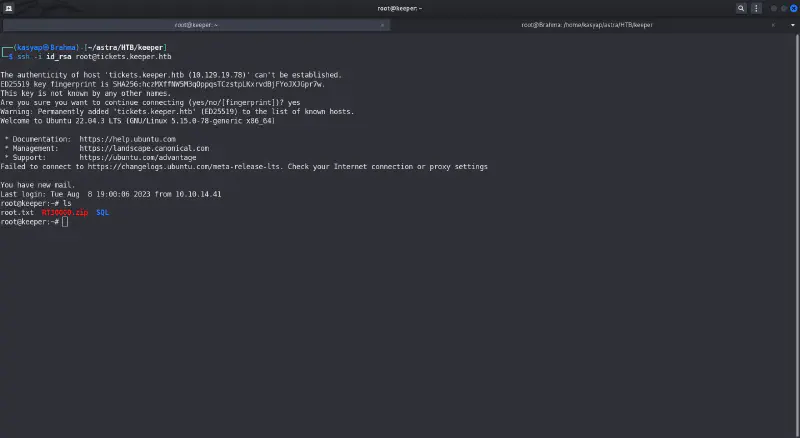
Now, as we have a private key that we can work with to login to SSH let us try it!Machine Owned!
Done, the Key worked and we have the machine ROOTED!.
A walkthrough for the “Broker” machine on Hack The Box, detailing the exploitation of Apache ActiveMQ (CVE-2023-46604) and privilege escalation via a custom Nginx configuration to gain root access.
A step-by-step tutorial on securing remote access to your Raspberry Pi by implementing key-based authentication, enforcing role-based access control, and optimizing sshd_config parameters.
A foundational guide for the Home Lab series detailing the setup of a Raspberry Pi with Raspberry Pi OS Lite, including headless configuration and SSH enablement using the official Imager.